As a borrower your responsibility does not end once the loan amount is credited to your bank account. In fact, post disbursal is the time when you have to show disciplined financial behaviour to keep yourself credit healthy and maintain a good credit score.
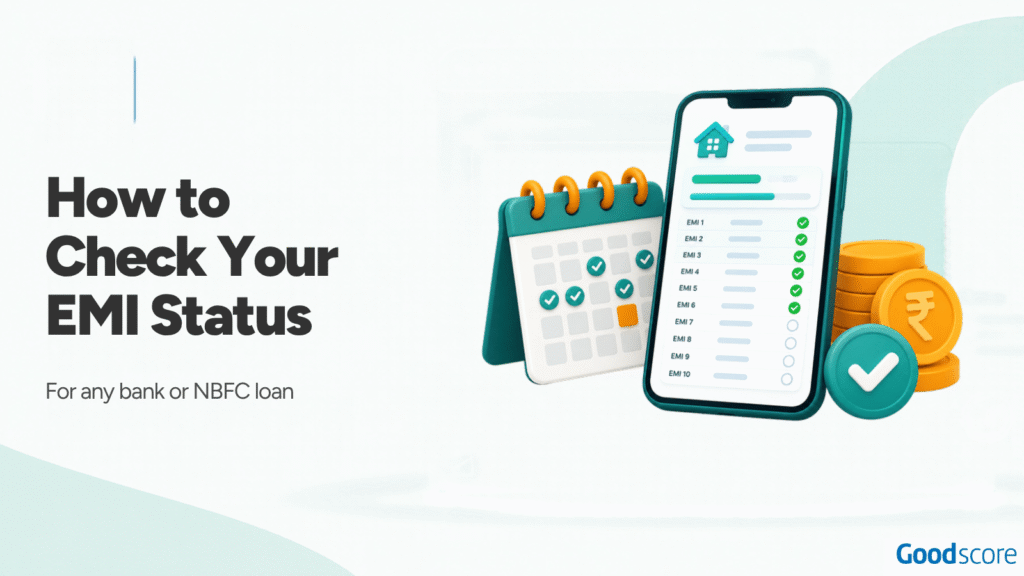
Paying your EMIs on time and keeping a track of your EMI status are a part of this post disbursal disciplined financial behaviour that every borrower should follow. Keeping a check of your EMI status is quite simple and can be done through 4 different channels: your lender’s app or website, your loan account statement, your bank statement and your credit report.
The lender’s records show what it has received, your bank statement shows whether the money left your account, and your credit report shows what the lender has told the credit bureaus.
Each source answers a slightly different question, so it helps to know which one to open first.
| Method | What it shows | How up to date it is | Best for |
| Lender app, website or customer care | Paid, upcoming and overdue instalments, charges | Updated by the lender, usually the quickest | A fast check on one loan |
| Loan account statement | Every instalment, principal and interest split, charges, remaining tenure | As on the statement date | Counting EMIs left, keeping records |
| Bank statement | Whether the EMI was debited and whether it bounced | As soon as the debit posts | Proof that you paid |
| Credit report | What each lender has reported, month by month | Depends on the lender’s reporting date, so it can lag by one to two weeks | Checking your record across all loans |
If you only want to know whether this month’s EMI went through, start with your bank statement and lender app. If you want to know how your repayment record looks to future lenders, check your credit report.
In this article, we will explain in detail how you can check EMI status for any loan through different methods.
Method 1: Lender app, website or customer care
This is the most direct way, because the lender holds the official record of what you have paid. The terminology on the app or website may slightly differ for each lender, but the steps remain broadly the same.
- Log in to the lender’s app or website, or to your bank’s net banking, use the mobile number registered with the loan, or login using your customer ID if the loan is from your existing banking partner.
- Open the loans section and select the loan account you want to check.
- Look for the repayment schedule, EMI history or account summary. It should list installments that are paid, due and overdue, along with any charges.
- Download the page or take a screenshot so you have a dated record.
If the lender has no app, or you cannot log in to their netbanking either, call customer care with your loan account number and registered mobile number ready. Some lenders also offer SMS, missed-call or WhatsApp services. Use only the contact details on the lender’s official website, and never share an OTP, PIN or password with anyone who calls you about your loan.
Method 2: Loan account statement or amortisation schedule
A loan account statement is the lender’s month-by-month record of your loan. The amortisation schedule is the full repayment plan, shared at the time of loan disbursal. This schedule shows how each EMI is split between principal and interest over the whole tenure along with your EMI start and end date.
Here are the details to look for in this document:
- Paid instalments: each EMI with its due date, amount and payment date or status.
- Principal and interest split: in the early years most of each EMI goes towards interest. The principal share grows over time.
- Overdue and charges lines: any unpaid instalment, plus bounce charges, late payment charges or penal charges, listed separately.
- Outstanding principal and remaining tenure: what you still owe and how many instalments are left.
Here is an example of what part of a statement might look like for a ₹5,00,000 personal loan at 12% a year over 60 months.
| EMI no. | Due date | EMI (₹) | Principal (₹) | Interest (₹) | Status | Principal outstanding (₹) |
| 22 | 5 Aug 2026 | 11,122 | 7,545 | 3,577 | Paid | 3,50,179 |
| 23 | 5 Sep 2026 | 11,122 | 7,620 | 3,502 | Paid | 3,42,559 |
| 24 | 5 Oct 2026 | 11,122 | 7,697 | 3,426 | Overdue | 3,42,559 |
| Charge | 5 Oct 2026 | 500 | Bounce charge (example) |
In this example, EMI 24 has bounced. The principal outstanding has not come down, and a charge has been added. Once the borrower pays the overdue amount, the status should change to paid. The amount of any bounce or late charge depends on your loan agreement and the lender’s schedule of charges.
You can usually download a statement from the lender’s app or website, request it by email, or collect it from a branch.
Method 3: Your bank statement (NACH or ECS debits)
Most EMIs are collected through an auto-debit mandate often referred to as NACH. National Automated Clearing House (NACH) is a payment system run by NPCI and has replaced ECS (Electronic Clearing Service), however, some lenders still refer to NACH as ECS.
On your bank statement, an EMI debit usually appears with a label such as ACH DR, NACH DR or ECS, followed by the lender’s name or a mandate reference. The exact wording may differ between banks.
A failed or reversed debit looks different. Either no EMI debit appears at all and your bank adds a return or bounce charge, or the debit appears and a matching credit follows a day or two later, often marked as a return or reversal. In both cases, the lender has not received the EMI, even if money was briefly deducted from your bank account.
If the debit appears and no reversal follows over the next few working days, the payment has usually gone through. You can confirm the receipt of the payment from your lender app if you are not sure if the EMI has gone through successfully.
Method 4: Your credit report
Your credit report from TransUnion CIBIL, Experian, CRIF High Mark or Equifax lists every active loan in your name, and shows the payment status each lender reported for each month. This is the record future lenders refer to when assessing your credit application.
The payment status in the credit report is shown as DPD, or days past due. On a TransUnion CIBIL report, 000 or STD means the payment was on time, a number such as 030 means the EMI was 30 days late, and XXX means the lender did not report that month, other bureaus also use similar codes to show your payment status.
From 1 July 2026, RBI requires lenders to report to the bureaus on four dates each month: the 9th, 16th, 23rd and the last day of the month. Mid-month updates are due within four days, and the month-end file by the 5th of the next month. In general, a payment can take up to one to two weeks to show in your credit report, and each bureau may update on a slightly different day.
To see every active loan and upcoming EMI in one place, download the GoodScore app which reads your credit report from the bureaus and lists your loans across lenders, so you can check that each payment has been reported correctly.
Also Read: How to check Credit Score
How to find how many EMIs are left
The simplest way is to check your loan statement or app for remaining tenure, sometimes shown as balance instalments. If you cannot find it, subtract the number of EMIs paid from the total tenure. That shortcut only works if you have not made a part-prepayment and the tenure has not changed. On floating-rate loans, lenders often extend the tenure when interest rates rise, so the statement is the safest and most accurate source to track your EMIs.
If you want to check the numbers yourself, this is the standard EMI formula:
EMI = P × r × (1 + r)n ÷ ((1 + r)n − 1)
Here, P is the loan amount, r is the monthly interest rate (the annual rate divided by 12, written as a decimal) and n is the tenure in months.
Worked example: for a ₹5,00,000 loan at 12% a year for 60 months, r is 0.01 and n is 60. (1.01)60 comes to about 1.8167, so the EMI is 5,00,000 × 0.01 × 1.8167 ÷ 0.8167, or roughly ₹11,122 a month. Over five years you would repay about ₹6,67,333, of which about ₹1,67,333 is interest. After 24 EMIs, 36 remain and about ₹3,34,862 of principal is still outstanding.
Paid EMI showing as pending or overdue?
A paid EMI reflecting as pending or overdue can be because of many reasons like the lender may have not processed the payment yet, or it may have applied to a wrong account, the auto debit of the EMI payment may have failed before you made the manual payment by visiting the lender’s branch or there is an error in the lender system. Below are the ways to get this fixed in your loan account to avoid any negative impact:
- Gather your proof: the bank statement entry with its transaction or UTR number, the payment receipt, and screenshots of the app showing the pending sta
- tus.
- Contact the lender in writing, by email or through the app’s help section, and ask for a complaint reference number.
- If the issue is not resolved, escalate to the lender’s grievance redressal officer or principal nodal officer. Lenders publish these contact details on their websites.
- If your credit report shows the EMI as late, raise a dispute with the credit bureau online, or ask the lender to correct what it reported.
- If the lender does not reply within 30 days, or you are unhappy with its reply, you can complain to the RBI Ombudsman at cms.rbi.org.in.
RBI rules set a 30-day limit for fixing any kind of error in your credit report and the lender has 21 days to send corrected data to the bureau, and the bureau has the rest of the 30 days to update it in their system. If the complaint is not resolved in 30 days, you are entitled to a compensation of ₹100 for each day of delay.
Also Read: How to check CIBIL Score
FAQs
Log in to your lender’s app or website, or to net banking if the loan is with your own bank, and open the loan account to see paid, upcoming and overdue EMIs. You can also download your loan statement, look for the NACH debit in your bank statement, or check your credit report for what the lender has reported.
Look for remaining tenure or balance instalments on your loan statement or in the lender’s app. If you have not made a part-prepayment and the tenure has not changed, you can also subtract the EMIs paid from the total tenure. To estimate the principal still outstanding, use the GoodScore EMI calculator.
In most cases, yes. Lenders usually let you look up a loan by its account number through their app, website or customer care, after verifying your registered mobile number. Some also offer SMS or missed-call services. The steps differ from lender to lender, so use the contact details published on the lender’s official website.
Check your bank statement for the EMI debit, usually labelled ACH DR, NACH DR or ECS with the lender’s name. If no reversal follows over the next few working days, the payment has usually gone through. Confirm it in the lender’s app or on the receipt, and keep a copy in case you need proof later.
The lender may not have processed the payment yet, or it may have been partial, applied to the wrong account, or made manually after an auto-debit failed. A system error is also possible. Send the lender your payment proof in writing and ask for a reference number. If it is not fixed, escalate to the lender’s grievance officer.
Usually one to two weeks. Since 1 July 2026, lenders report to the credit bureaus as on the 9th, 16th, 23rd and last day of each month. They have four days to send mid-month updates and until the 5th of the next month for the month-end file. If the entry is still wrong after that, raise it with the lender, then the bureau.
Yes. Your credit report lists every active loan and credit card in your name, across lenders, with the payment status each lender has reported. GoodScore reads your credit report and shows your loans together in the app, so you can check them in one place and spot an EMI that has been wrongly marked as late.
Your lender will usually add a bounce or late payment charge, and the missed EMI will show as days past due in your credit report, which can lower your score. An overdue of up to 30 days puts the account in SMA-0, over 30 days in SMA-1 and over 60 days in SMA-2. Beyond 90 days, it becomes an NPA. See our NPA guide and NACH bounce guide.
Most lenders let you download it from their app or website, usually under loan details or service requests. You can also request it by email or collect it from a branch. Some lenders charge a fee for physical or duplicate copies, so check the schedule of charges in your loan agreement or on the lender’s website.